CAN I get more reviews ON TRUSPILOT?

Yes, with StackTome, you have better tools to get more positive reviews on Trustpilot. For a third of the price.

No credit card required. No time limit on free account.

How do I get more reviews on Trustpilot?

We Are Trusted By

How StackTome can help you get more positive reviews even without a Trustpilot paid plan

Trick #1

Extensive segmentation and customization options

StackTome can send multiple segmented campaigns to customers by different country, language, review platform or other criteria.
Trustpilot doesn’t provide any targeting support for invites.

How to Ask for Trustpilot Reviews (The Right Way)

To maximize your review collection efforts, you need to optimize every part of your email invitation campaign. Here are the key elements to focus on.
STEP 1

Email Subject Lines: The Gateway to Your Reviews

The subject line is the most critical element of your review invitation email. It determines whether your email gets opened or ignored.
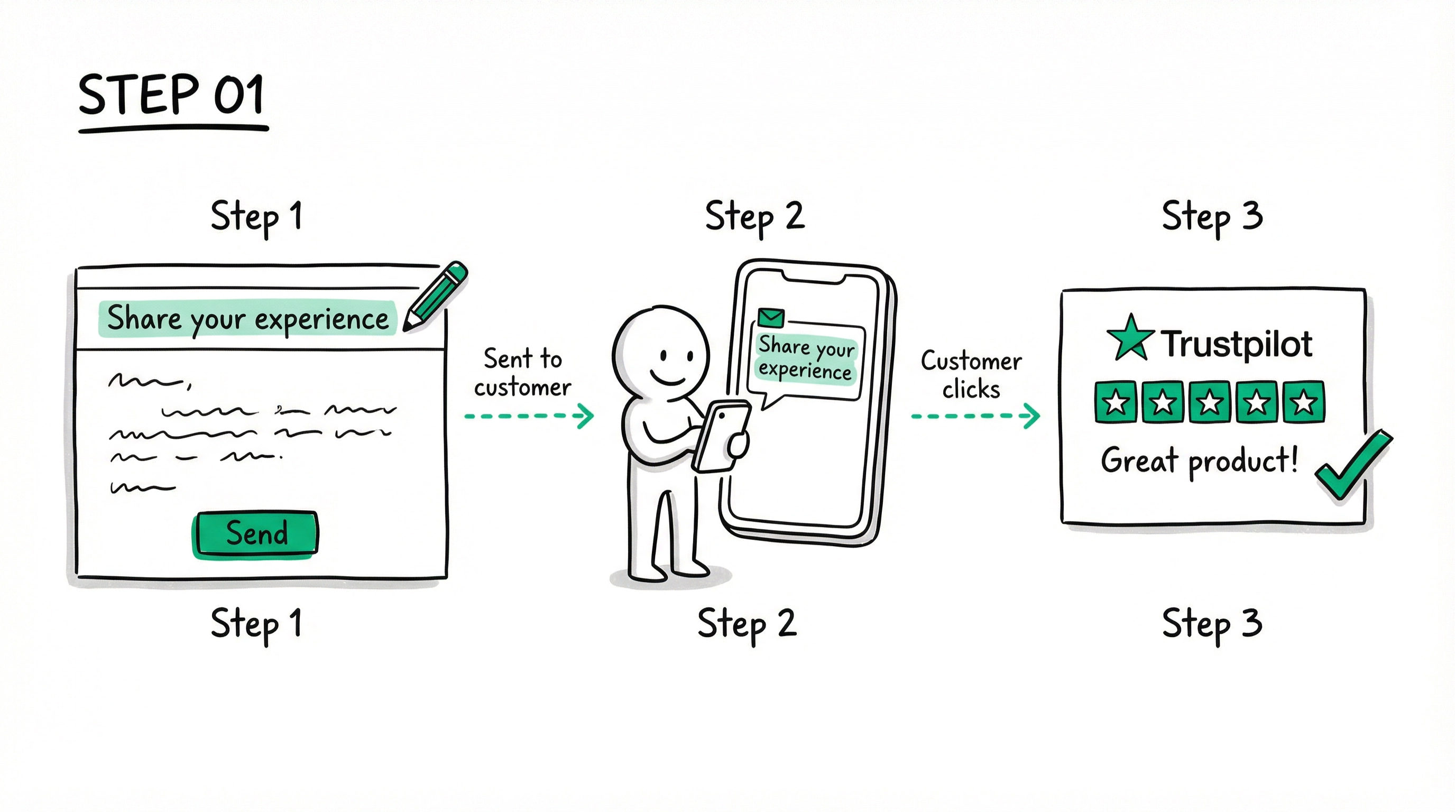
  • Keep it Short and Simple: Our tests show that simple, plain-text subject lines with 2-3 words have the best open rates. Avoid emojis and excessive personalization.
  • A/B Test Your Subject Lines: The only way to know for sure what works for your audience is to test different subject lines. Use a tool like StackTome to run A/B tests.
Easy integration between your review platform and e-commerce accounts
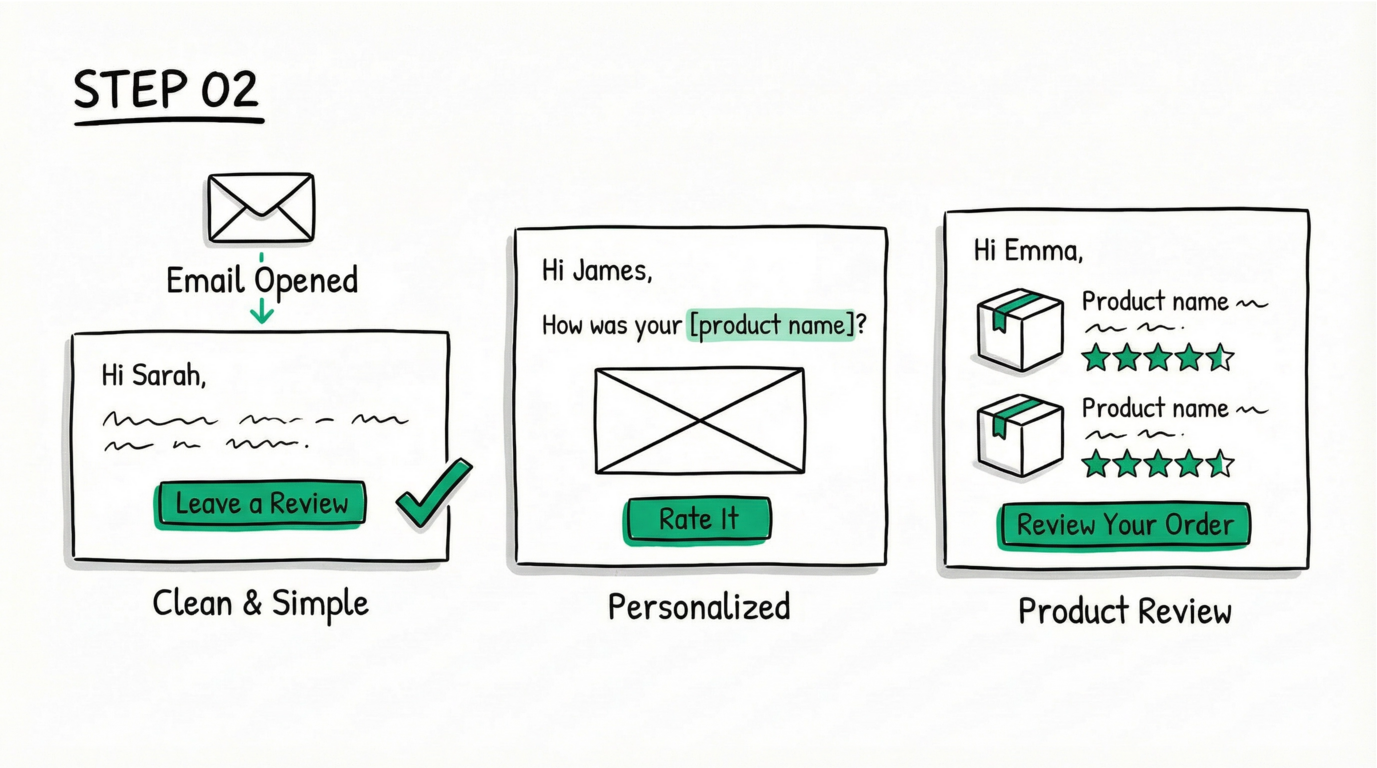
STEP 2

Email Templates: Designing for Clicks

Once your email is opened, the template's job is to get the customer to click the review link. Here's how to design a high-converting email template:

  • Keep it Clean and Simple: Use a clean design with a clear call-to-action. Avoid clutter and distractions.
  • Personalize the Copy: Address the customer by name and mention the product they purchased.

  • Choose the Right Template: If you're optimizing for service reviews, a simple button is enough. For product reviews, you can list purchased products.
STEP 3

Send Timing: The Key to Positive Reviews

Timing is everything when it comes to review collection. Sending an invitation too early can lead to negative reviews, while sending it too late can result in no review at all.
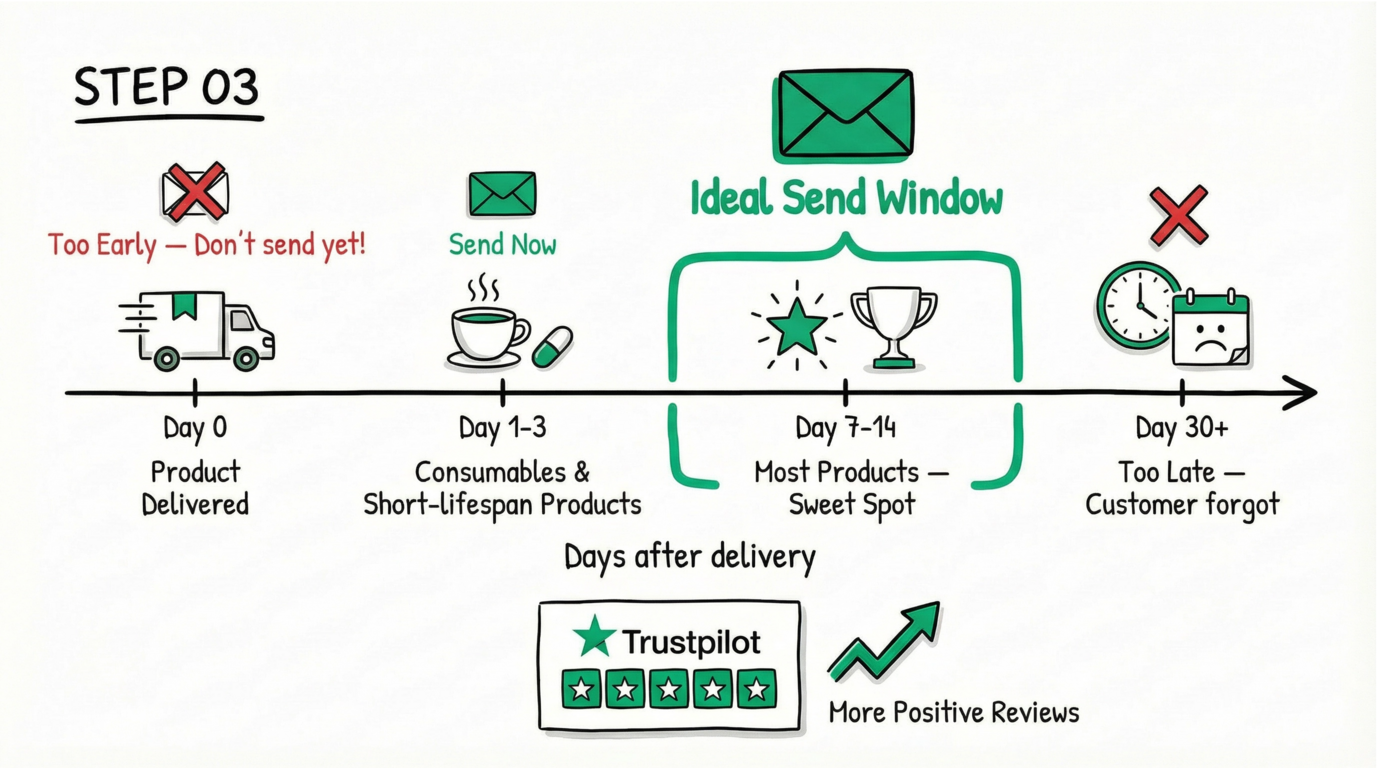
  • Don't Send Too Early: Never send a review invitation before the customer has received the product.
  • Find the Sweet Spot: For most products, the ideal time is 7-14 days after delivery.

  • Consider the Product Type: For consumables or products with a short lifespan, send the invitation sooner (1-3 days after delivery).
Easy integration between your review platform and e-commerce accounts
STEP 4

Reminders: The Unsung Hero of Review Collection

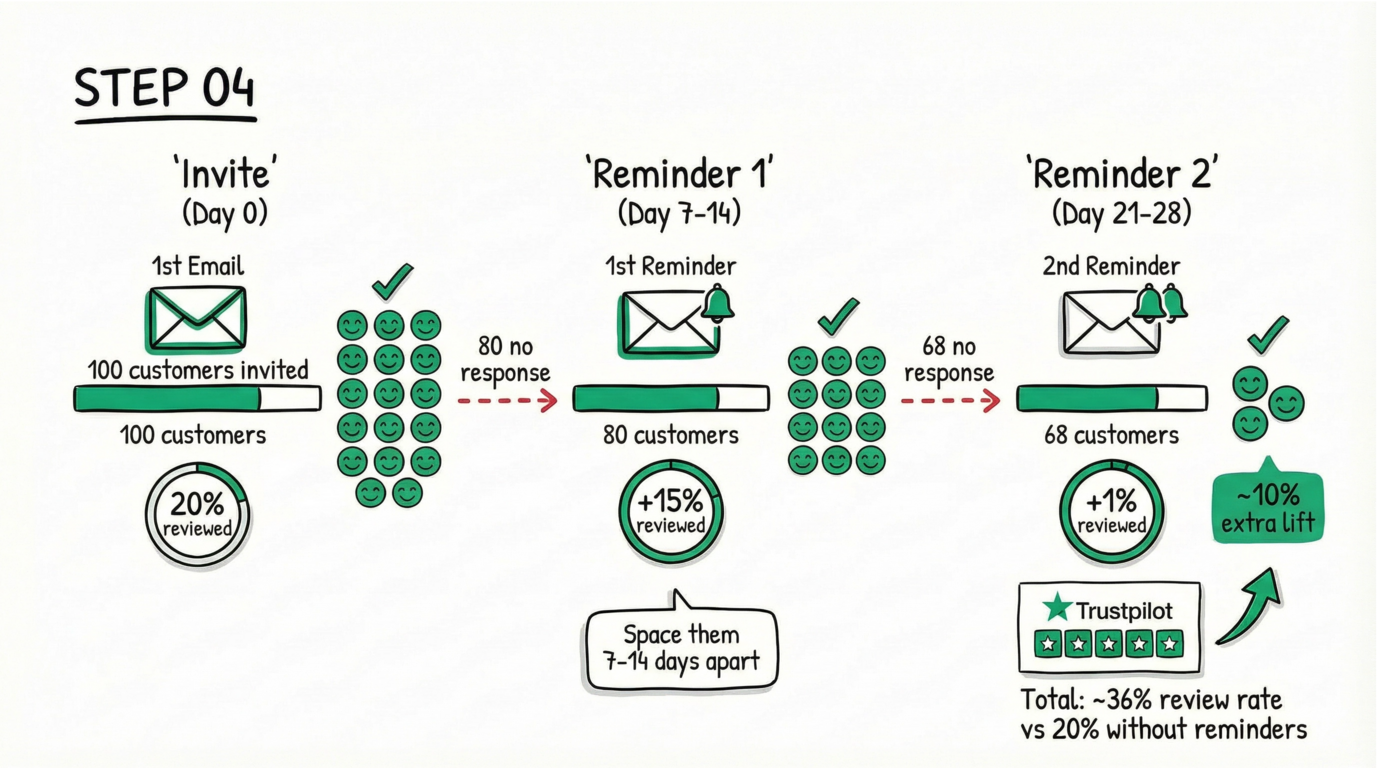
Many brands are hesitant to send reminders for fear of annoying their customers. However, our data shows that reminders can significantly increase your review rate.

  • Send at Least One Reminder: If a customer doesn't leave a review after the first invitation, send a reminder 7-14 days later.
  • Consider a Second Reminder: Our tests show that a second reminder can still convert at around 1%, providing a 10% lift.
  • Spread Them Out: Don't send reminders too close together to avoid overwhelming customers.
STEP 5

Customer Segmentation: Targeting for Success

Not all customers are created equal. By segmenting your customers, you can send more targeted and effective review invitations.
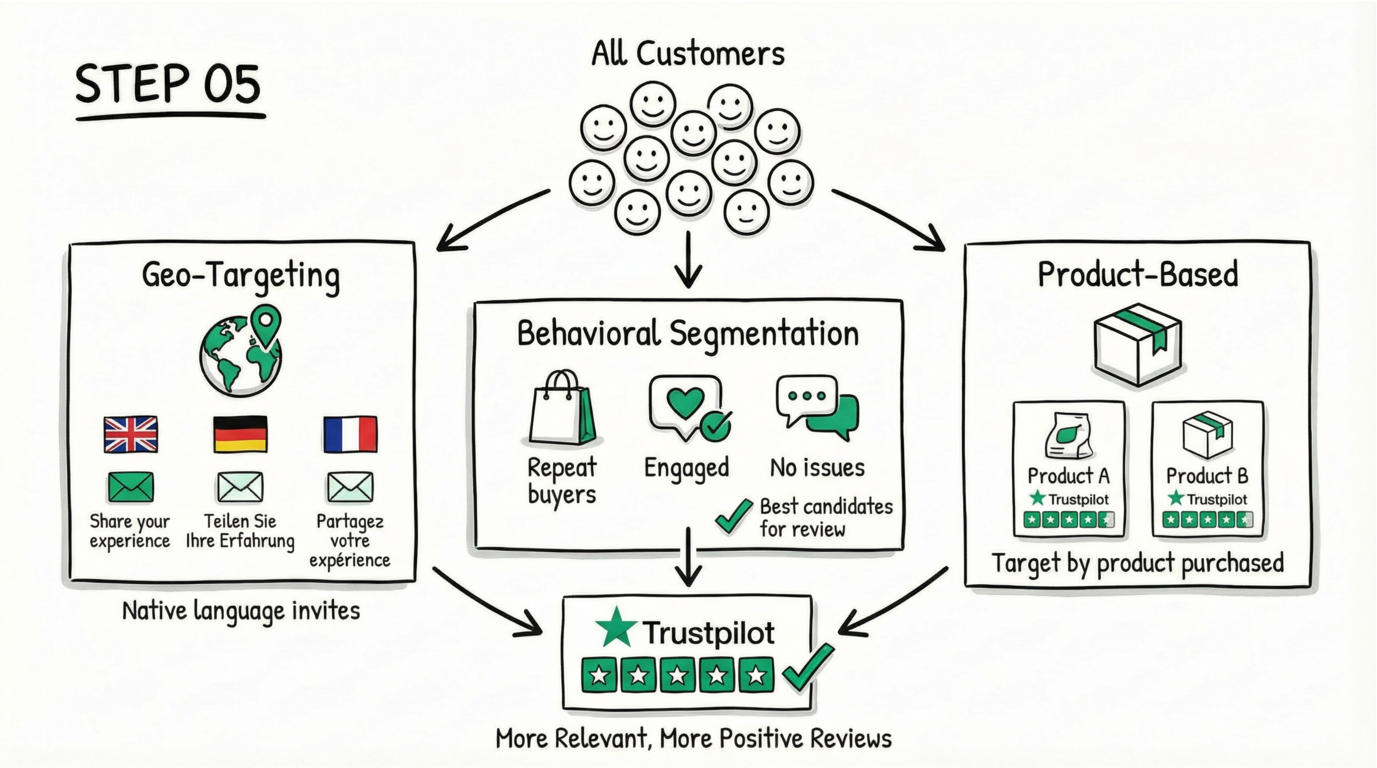
  • Geo-Targeting: Segment customers by location and language to send personalized invitations in their native language.
  • Behavioral Segmentation: Segment based on purchase history, engagement, and support ticket history.
  • Product-Based Segmentation: Target customers who have purchased specific products to get more reviews for those products.
Easy integration between your review platform and e-commerce accounts

How StackTome is better than Trustpilot paid plan?

  • No paid Trustpilot subscription required
  • Basic plan provides 10x more invites
  • Unlimited email customization with no additional fees
  • Full review API access to connect with your essential tools
  • StackTome also offers Done-For-You setup & management, plus results guarantee, which Trustpilot doesn’t.

Which features StackTome has that Trustpilot doesn't?

“It worked really well for us, we saw a big increase in our rating, across Google & Trustpilot, since we joined StackTome, and we're only few months working with them. Highly recommended from us, a really really good value.”
Daniel Walton
Founder, OLPRO

Want to calculate your ROI with StackTome?

Analyze your Trustpilot profile

FAQ

When will my Trustcore increase?

Do customers need a Trustpilot account to leave a review?

How does your tool help collect Trustpilot reviews?

How much order volume I need to get more reviews by using StackTome

How do review invitation follow-up reminders work?

How many campaign emails can I send per month?

Can StackTome help me rank higher on Google?

Can I choose who receives review requests?

Can I customize my reviews widget?

How can I deal with negative reviews?

Can I moderate customer reviews?

What happens to my company's reviews if I stop using StackTome's services?